What to Do When Your Phone Is Lost or Stolen: Step by Step
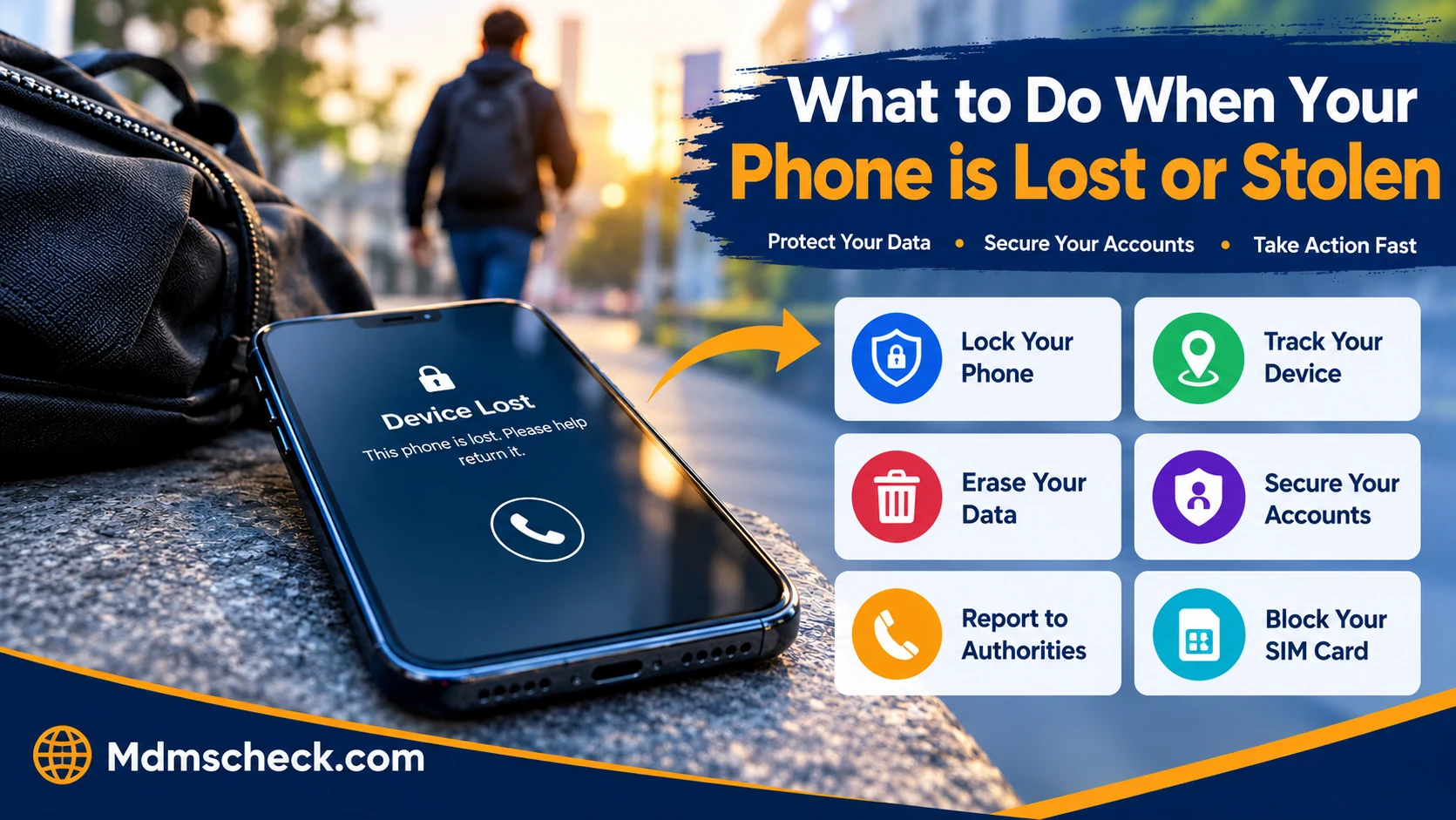
Realizing your phone is missing is a stressful moment, but what you do in the first hour matters a lot. Acting quickly gives you the best chance of getting the phone back and keeps your photos, messages, bank apps and accounts safe. This guide walks you through exactly what to do, in order, whether you use an iPhone or an Android phone.
Step 1: Stay Calm and Check the Obvious Places
Before you assume the worst, call your number from another phone. If it rings nearby, retrace your steps, check your bag, car seats and the last place you used it. Ask staff at the shop, restaurant or transport service you visited if anyone handed in a phone. If it was clearly stolen, skip ahead and secure it right away.
Step 2: Locate the Phone
Both Apple and Google have built in tools that can show where your phone is, as long as the feature was turned on before it went missing.
- iPhone: Use the Find My app on another Apple device, or sign in at iCloud.com/find in a web browser. Select your phone to see its location or play a sound.
- Android: Use Google Find Hub (formerly Find My Device) in the app or at android.com/find. It can show the phone on a map, make it ring, lock it, or erase it.
- Samsung Galaxy: Samsung Find can also help you locate a Galaxy phone.
Even if the phone is turned off, these tools can often show its last known location. Try checking more than once, because the location may update when the phone reconnects.
Step 3: Lock the Phone Remotely
If you cannot get to the phone quickly, lock it so nobody can open your data. On an iPhone, turn on Lost Mode from Find My. This locks the device with your passcode and suspends Apple Pay cards and passes. On Android, choose the option to secure the device or mark it as lost in Find Hub. You can add a message and a contact number to the lock screen, so an honest finder knows how to reach you.
Step 4: Contact Your Mobile Carrier
Call your carrier and report the phone as lost or stolen. Ask them to suspend the line so nobody can run up charges or receive your verification codes. Many carriers can also block the phone itself using its IMEI number, which makes it much harder to use on a network. If you do not remember your IMEI, you can find it in your phone box, your purchase receipt, or your Apple or Google account. Our guides for Android and iPhone show how to find it.
Step 5: Report a Theft to the Police
If you think the phone was stolen, file a police report. The Federal Communications Commission recommends reporting stolen smartphones to the police. Keep the report number, because your insurer or carrier may ask for it. Give the police your phone model, color, IMEI number and the time and place you last had it. Do not try to confront a thief or go after the phone yourself. Your safety matters more than the device.
Step 6: Protect Your Accounts
A locked phone is a good start, but you should also protect the accounts that were signed in on it.
- Change the password for your Apple ID or Google account first.
- Change passwords for email, banking, social media and shopping apps.
- Sign out of your accounts on the lost device from your account settings, or remove the device from your Google account.
- Watch your bank and card statements for transactions you do not recognize, and contact your bank if you notice any.
Step 7: Erase the Phone Only as a Last Resort
Both Find My and Find Hub let you erase the phone remotely. This protects your data, but it also usually means you can no longer track the phone. Erase it only if you are sure you will not get it back, or if sensitive data is at risk. Make sure you have a recent backup in iCloud or Google so you can restore your information on a new phone.
Step 8: Make an Insurance or Warranty Claim
If you have a protection plan that covers theft and loss, contact the provider as soon as you can. Have your IMEI or serial number, your police report number if there is one, and proof of purchase ready. Some plans require that tracking was turned on before the phone disappeared, so check the terms. If you are still deciding whether a plan is worth buying, read our guide on whether phone insurance is worth it.
How to Be Ready Before It Happens
- Turn on Find My on iPhone or Find Hub on Android today.
- Use a strong passcode and biometric lock, and on iPhone consider turning on Stolen Device Protection.
- Keep automatic cloud backups enabled.
- Write down your IMEI number and keep it somewhere safe.
- Do not keep passwords in unprotected notes on your phone.
What If You Get Your Phone Back?
If you recover the phone, do not assume everything is safe just because it turns on. Take a few minutes to check it before you go back to normal use.
- Turn off Lost Mode and let your carrier know so they can restore the line.
- Change your account passwords anyway, especially if the phone was stolen rather than just misplaced.
- Review the recent sign-in activity on your Apple or Google account for anything you do not recognize.
- Look for unfamiliar apps or settings, and consider a factory reset if you think someone had access to it.
- Update the police report so it shows the phone was recovered.
Frequently Asked Questions
Can I track a phone that is turned off?
Often you can see its last known location. The tracking tools may also update once the phone reconnects to the internet, so check again after some time instead of giving up.
Should I erase the phone straight away?
No. Lock it first and try to locate it. Erasing is a last resort because it usually stops you from tracking the phone afterwards.
Will my carrier replace a lost phone for free?
Usually not. Your carrier can suspend the line and may block the device, but a replacement normally means buying a new phone or making a claim on a protection plan, if you have one.
How do I find my IMEI if the phone is gone?
Check the original box or receipt, your carrier account, or the device list in your Apple or Google account, which may show it. Keep a copy somewhere safe for the future.
Is a strong passcode enough to protect my data?
A passcode helps a lot, but it is not a complete defense on its own. That is why you should also lock the device remotely, change your passwords and tell your carrier right away.
Final Thoughts
Losing a phone is upsetting, but a calm, quick response can protect your data and your money, and may even help you recover the device. Locate it, lock it, tell your carrier, report a theft, secure your accounts, and only then consider erasing it. If you are in Nepal, you can also read about the lost and stolen phone registration process.
Disclaimer: This article is for general information only and is not legal, financial or insurance advice. Features and steps can change with software updates, so please check your device maker and carrier for the latest instructions.