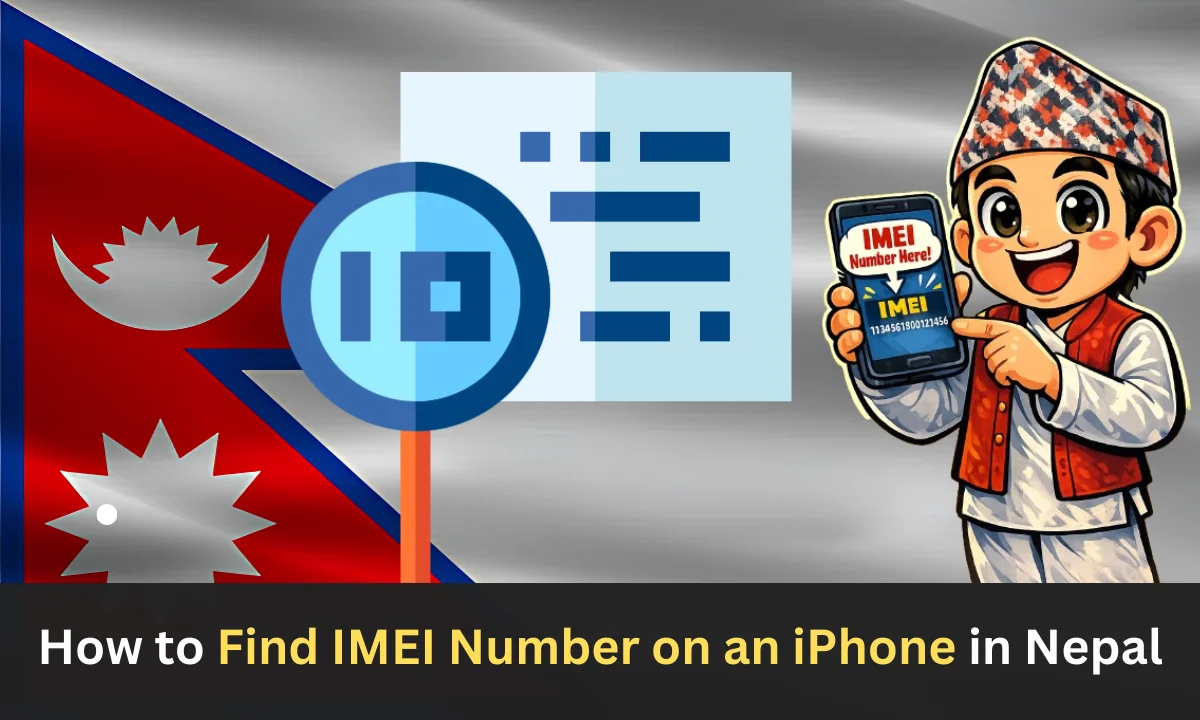
How to Find IMEI Number on an iPhone in Nepal
How to Find IMEI Number on an iPhone in Nepal The International Mobile Equipment Identity (IMEI) number is one of the most crucial identifiers for your iPhone. Whether you’re in Kathmandu, Pokhara, or anywhere else in Nepal, knowing how to locate your iPhone’s IMEI number can prove invaluable in numerous situations. This comprehensive guide will walk you through multiple methods to find your IMEI number and explain why it’s so important for iPhone users in Nepal.
What Is an IMEI Number?
An IMEI number is a unique 15-digit code assigned to every mobile device. Think of it as your iPhone’s fingerprint; no two devices share the same IMEI number. This identification code is essential for network providers, customs authorities, and security purposes across Nepal and worldwide.
In Nepal, where smartphone theft and counterfeit devices are growing concerns, your IMEI number serves as a critical tool for device verification and recovery. The Nepal Telecommunications Authority (NTA) uses IMEI numbers to track and manage mobile devices operating within the country’s network infrastructure.
Why You Need Your iPhone’s IMEI Number in Nepal
Device Registration with NTA
Nepal’s regulatory framework requires proper device registration, especially for smartphones brought from abroad. Your IMEI number is mandatory when registering your iPhone with the Nepal Telecommunications Authority to ensure legal operation on local networks like Ncell and Nepal Telecom.
Insurance and Warranty Claims
When purchasing iPhone insurance or making warranty claims in Nepal, service providers and Apple authorized resellers will request your IMEI number to verify your device’s authenticity and coverage eligibility.
Theft and Loss Reporting
If your iPhone gets stolen in Nepal, reporting the IMEI number to local authorities and your network provider can help blacklist the device, making it unusable on Nepali networks. This significantly increases the chances of recovery or prevents unauthorized use.
Buying and Selling Used iPhones
Nepal’s second-hand iPhone market is thriving, particularly in areas like New Road and Putalisadak in Kathmandu. Checking the IMEI number helps buyers verify that a used iPhone isn’t stolen, blacklisted, or fake before making a purchase.
Network Unlocking Services
When unlocking your iPhone to use different carriers in Nepal, service providers will need your IMEI number to process the unlock request properly.
Method 1: Find IMEI Using Phone Settings
This is the quickest and most straightforward method to locate your IMEI number on any iPhone model.
Step-by-step instructions:
- Step 1: Open the “Settings” app on your iPhone
- Step 2: Tap on “General.”
- Step 3: Select “About.”
- Step 4: Scroll down until you see IMEI or IMEI1 (for dual-SIM models)
- Step 5: Tap and hold on the IMEI number to copy it
For dual-SIM iPhones (iPhone XS, XR, and later models), you’ll see both IMEI1 and IMEI2. The first IMEI corresponds to your physical SIM slot, while the second relates to your eSIM capability. In Nepal, where eSIM services are gradually being introduced, knowing both numbers can be helpful.
Method 2: Check the SIM Tray (Physical Method)
Older iPhone models have the IMEI number printed on the SIM card tray itself.
This method works for:
- iPhone 6, iPhone 6 Plus, and earlier models
- iPhone SE (1st generation)
How to check:
- Locate the SIM tray on the right side of your iPhone
- Use the SIM ejector tool (or a paperclip) to remove the tray
- Look at the tray carefully; the IMEI number should be engraved on it
This method is particularly useful if your iPhone won’t turn on or has software issues, which is common when dealing with water damage during Nepal’s monsoon season.
Method 3: Find IMEI on iPhone’s Back Cover
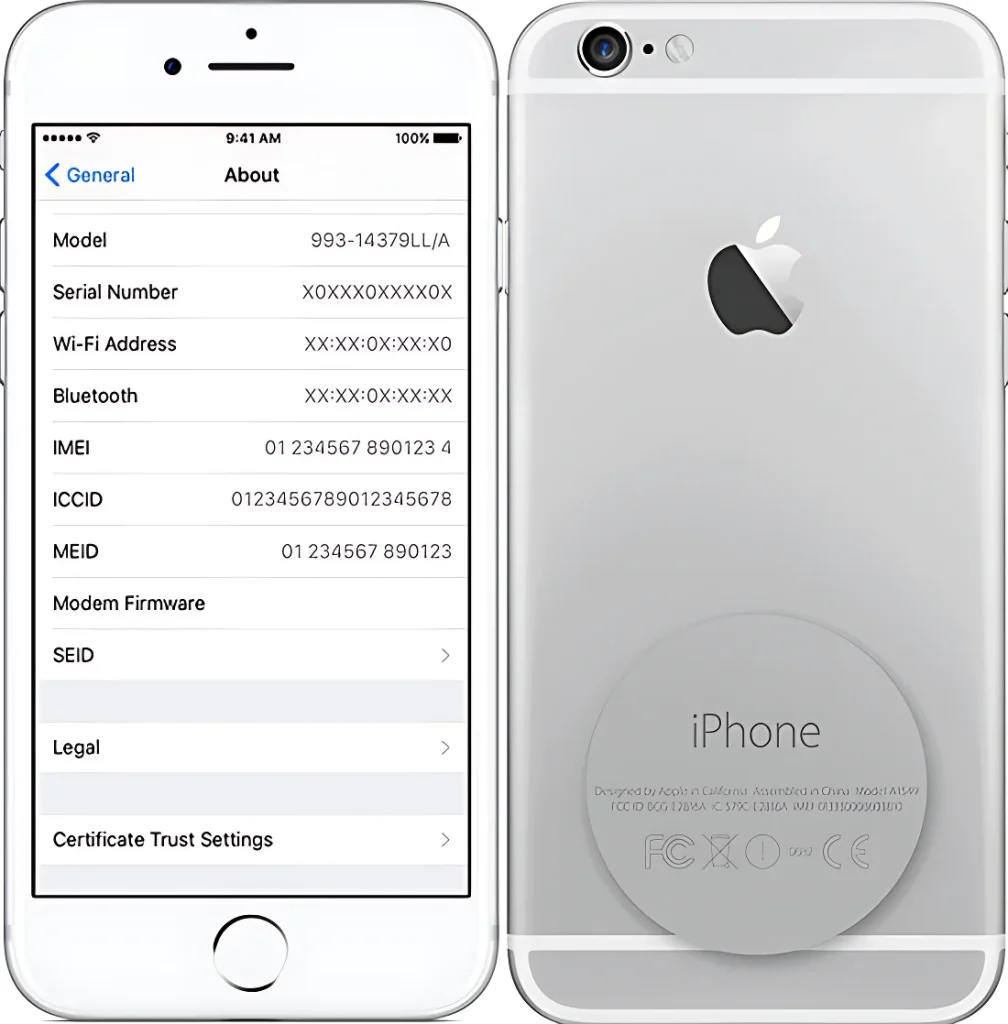
Some iPhone models have the IMEI number printed directly on the back of the device.
Applicable models:
- iPhone 5, iPhone 5c, iPhone 5s
- iPhone SE (1st generation)
- Original iPhone, iPhone 3G, iPhone 3GS
Simply flip your iPhone over and look at the bottom portion of the back cover. You’ll find the IMEI number along with other regulatory information.
Method 4: Use iTunes or Finder (Computer Method)
If your iPhone is damaged or won’t power on, you can retrieve the IMEI number using your computer.
For macOS Catalina and later:
- Step 1: Connect your iPhone to your Mac using a USB cable
- Step 2: Open Finder
- Step 3: Select your iPhone from the sidebar
- Step 4: Click on your iPhone’s name at the top
- Step 5: You’ll see the IMEI number displayed along with other device information
For Windows or older macOS versions:
- Step 1: Connect your iPhone to your computer
- Step 2: Open iTunes
- Step 3: Click on the iPhone icon when it appears
- Step 4: Go to the Summary tab
- Step 5: Click on Phone Number; it will cycle through various information, including the IMEI number
This method is especially helpful for iPhone users in Nepal who need to access their IMEI number for customs clearance or device registration before the phone is fully operational.
Method 5: Check Original iPhone Packaging
Apple prints the IMEI number on the original iPhone box, specifically on the barcode label.
Location on the box: Look at the bottom or side of your iPhone’s retail packaging. You’ll find a barcode with several pieces of information, including the IMEI number clearly labeled.
This is particularly useful for new iPhone purchases in Nepal, whether from authorized Apple resellers or personal imports. Keep the original packaging safe, as it serves as proof of purchase and contains essential device information.
Method 6: Dial a USSD Code
The fastest method that works on all iPhone models is using a simple dial code.
Steps:
- Step 1: Open the Phone app
- Step 2: Go to the keypad
- Step 3: Dial *#06#
- Step 4: Your IMEI number will instantly appear on the screen
No need to press the call button; the IMEI number displays automatically. This method works regardless of whether you have an active SIM card, making it incredibly convenient for iPhone users throughout Nepal.
Method 7: Check iCloud Account
If you’ve lost your iPhone or it’s been stolen, you can still find the IMEI number through your iCloud account.
Process:
- Step 1: Visit iCloud.com from any web browser
- Step 2: Sign in with your Apple ID credentials
- Step 3: Click on Settings (gear icon)
- Step 4: Scroll down to My Devices
- Step 5: Select your iPhone from the list
- Step 6: The IMEI number will be displayed in the device information
This cloud-based method is invaluable for reporting theft to Nepal Police or your network provider when you don’t have physical access to your device.
Verifying Your iPhone’s Authenticity in Nepal
Given the prevalence of counterfeit devices in Nepal’s electronics market, verifying your IMEI number’s authenticity is crucial.
How to verify:
- Step 1: Visit Apple’s Check Coverage page (checkcoverage.apple.com)
- Step 2: Enter your IMEI number
- Step 3: Complete the CAPTCHA verification
- Step 4: Review the results showing your iPhone model, purchase date, and warranty status
If the IMEI doesn’t return valid results, the device might be counterfeit or reported as lost/stolen. This verification is essential before purchasing used iPhones from markets in Kathmandu, Lalitpur, or Bhaktapur.
IMEI Number and Nepal Customs
When bringing an iPhone into Nepal from abroad, customs authorities may request your IMEI number for tax assessment and device registration purposes. Having this information readily available can expedite the customs clearance process at Tribhuvan International Airport or land border crossings.
Protecting Your IMEI Information
While your IMEI number is essential for legitimate purposes, treat it as sensitive information. Avoid sharing it publicly on social media or with unauthorized parties. Only provide your IMEI number to:
- Official network providers (Ncell, Nepal Telecom)
- Apple authorized service centers
- Law enforcement agencies
- Insurance companies with valid claims
- Nepal Telecommunications Authority when required
Key Benifits Find IMEI Number on an iPhone
In Nepal, smartphones are widely used for communication, online banking, education, and business. For iPhone users, knowing how to find the IMEI (International Mobile Equipment Identity) number is very important. The IMEI is a unique 15-digit code assigned to every mobile device. Understanding how to locate this number can provide several practical benefits, especially within Nepal’s telecommunications system.
1. Required for Mobile Registration
The Government of Nepal has introduced mobile device registration rules to reduce illegal imports and unauthorized devices. The Nepal Telecommunications Authority (NTA) requires certain devices to be registered using their IMEI numbers. If your iPhone is not properly registered, it may not work with Nepali SIM cards. Knowing your IMEI helps you complete the registration process smoothly and avoid network problems.
2. Helpful in Case of Theft or Loss
Phone theft can happen in busy cities like Kathmandu and other urban areas. If your iPhone is stolen or lost, you can report the IMEI number to your mobile service provider. The provider can block the device from being used on local networks. This reduces the chances of misuse and may help authorities track the phone.
3. Important for Warranty and Repairs
When you visit an authorized service center for repair, they may ask for your IMEI number. It helps them confirm your device model and warranty status. Devices manufactured by Apple Inc. are often checked through their IMEI to verify authenticity. Having easy access to this number can save time during service or repair.
4. Useful When Buying or Selling an iPhone
Many people in Nepal buy and sell second-hand iPhones. Before purchasing a used device, checking the IMEI number helps confirm that the phone is genuine and not blacklisted. Buyers can also verify whether the device is legally registered. Sellers who provide the IMEI number create more trust with potential customers.
5. Needed for Insurance Claims
If your iPhone is insured and it gets damaged or stolen, the insurance company may ask for the IMEI number as proof of ownership. Keeping your IMEI number recorded in a safe place makes the claim process easier and faster.
6. Easy to Find Anytime
Finding the IMEI number on an iPhone is simple. You can go to Settings > General > About, or dial *#06# on the phone app. The IMEI is also printed on the original box and sometimes on the SIM tray. Knowing these methods ensures you can access the number whenever required.
FAQs About Find IMEI Number on an iPhone
Conclusion
Knowing how to find your iPhone’s IMEI number is essential for users in Nepal. It helps with device registration, warranty claims, theft reporting, and authenticity verification. Keeping your IMEI accessible ensures smoother network use, legal compliance, and added security, giving you confidence and protection in various situations.